


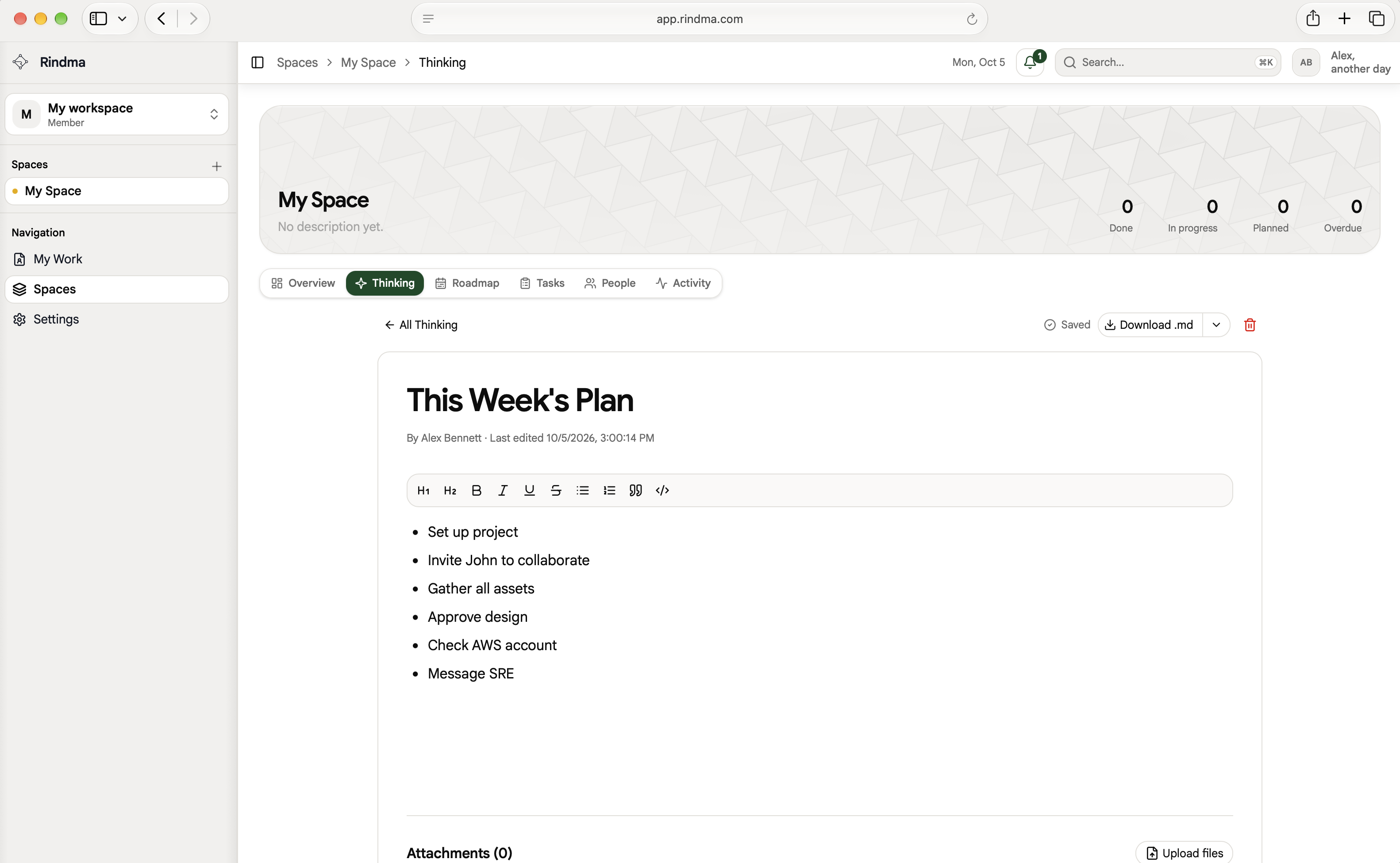
Thinking pages
Capture product context and decisions in structured pages. Use @mentions inside so people and agents stay aligned on the same source of truth.
Rindma keeps thinking, tasks, and decisions in one place — synced with Cursor, Codex, and Claude — or any AI Agent.
Features
Thinking, milestones, tasks, collaborators, notifications, and agent setup — structured so work stays clear for humans and AI.
Capture product context and decisions in structured pages. Use @mentions inside so people and agents stay aligned on the same source of truth.
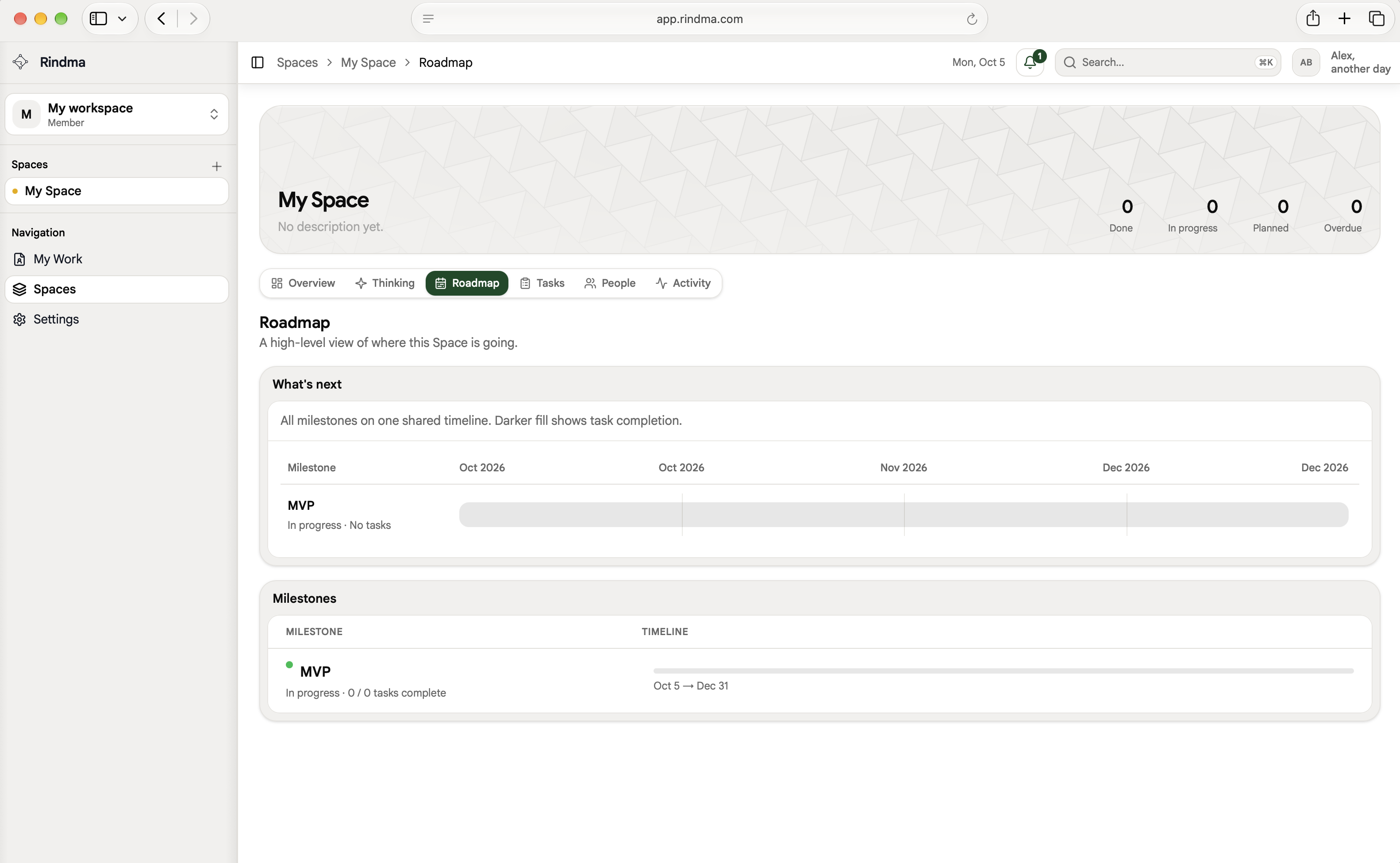
Outcome-oriented milestones that track real progress — not busywork — so the roadmap stays honest.
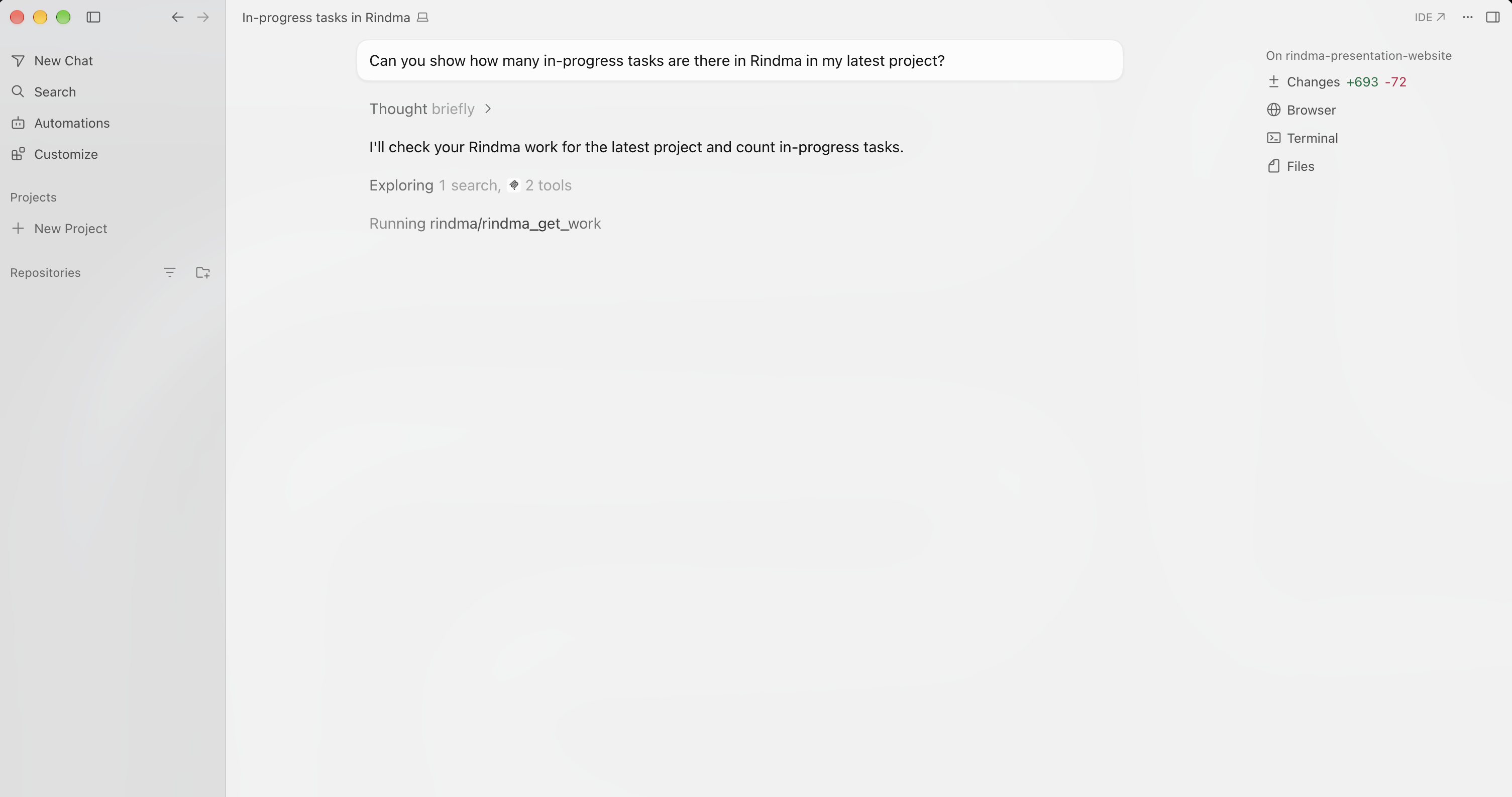
Executable work with claims, subtasks, and completion reports. Agents pull real tasks over MCP instead of guessing.
Invite your team into Spaces so humans decide together and agents execute against shared context.
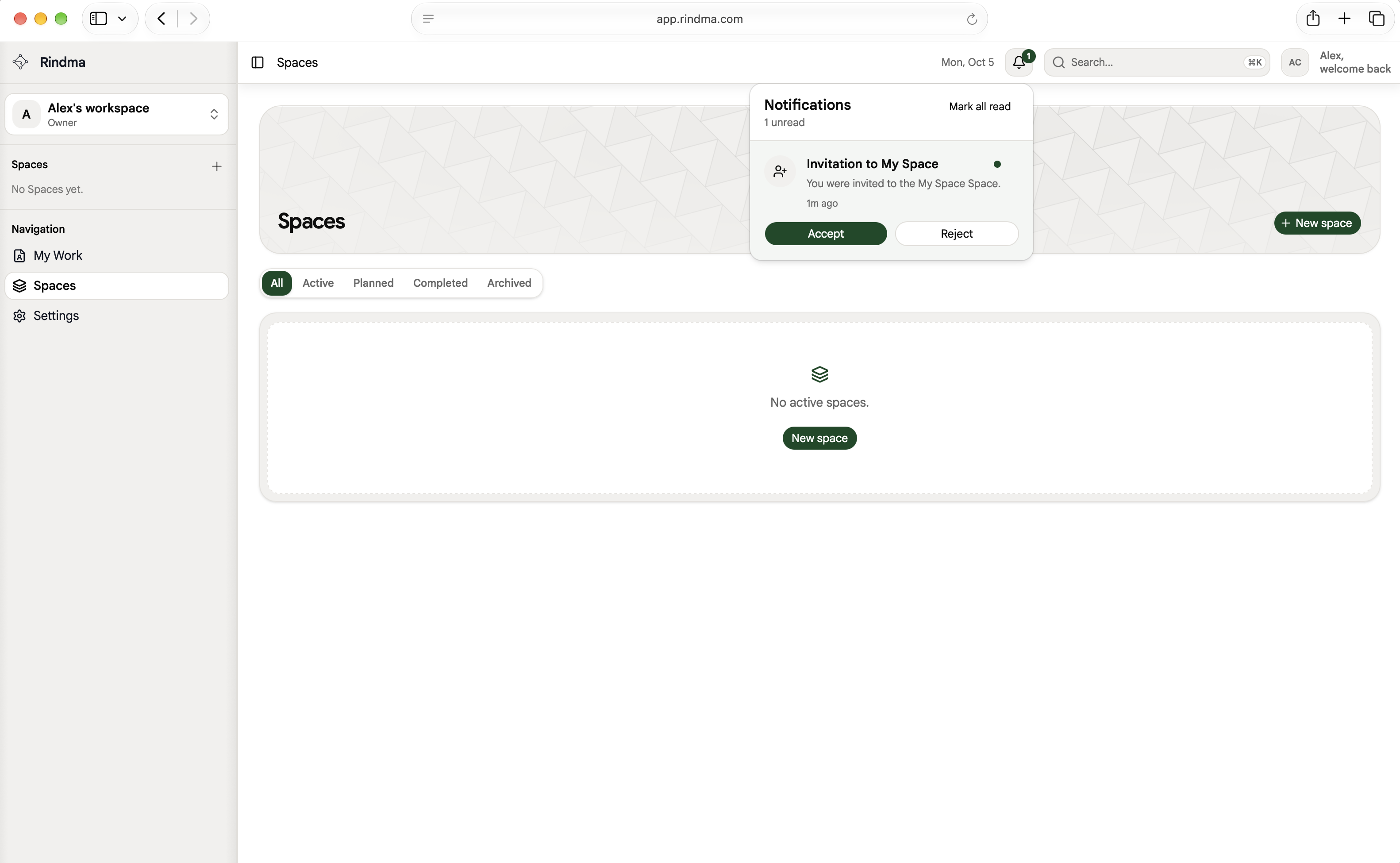
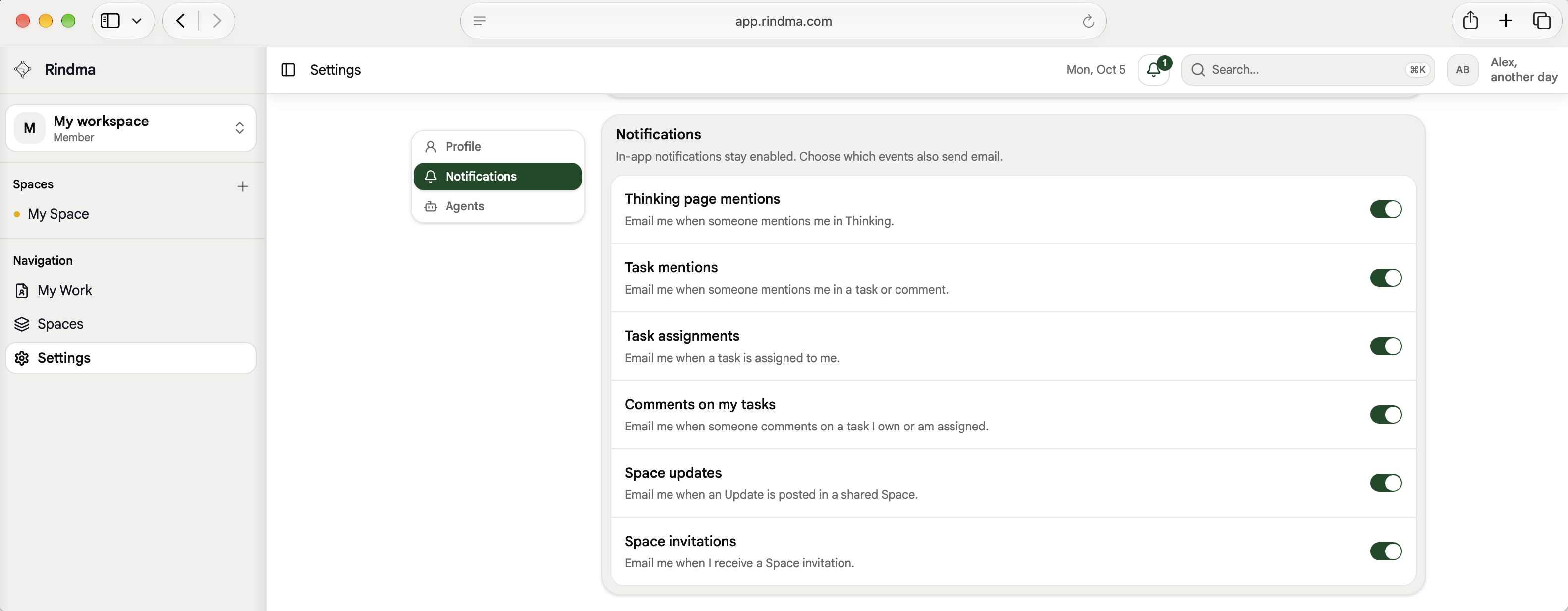
Stay on top of invitations, mentions, and updates — so nothing important slips past you or your team.
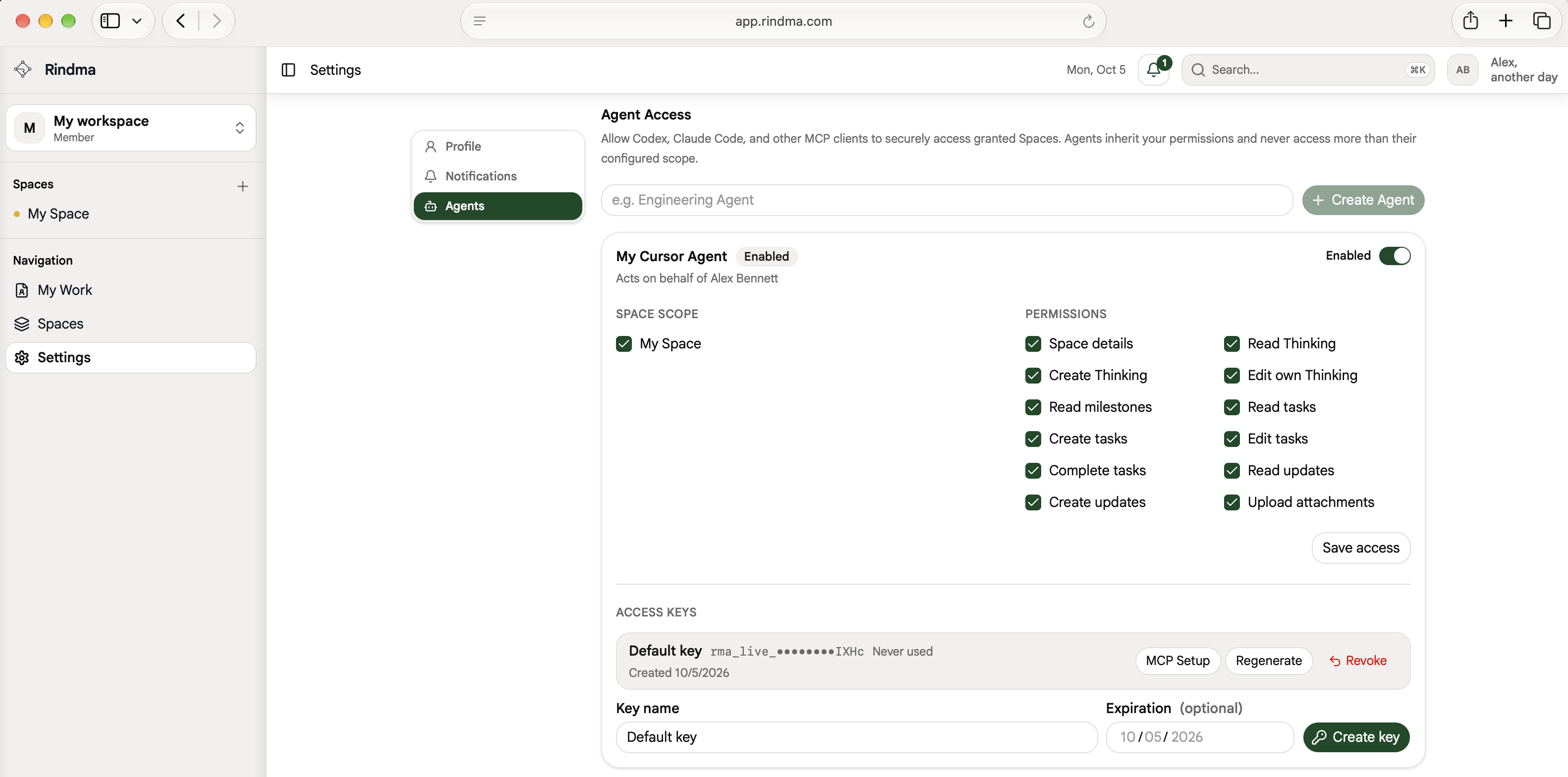
Manage agent keys in settings — scoped access for Cursor, Codex, Claude, and other clients without exposing secrets.
Agents
Connect Rindma over MCP so Cursor, Codex, Claude, and other clients stay synced to your Spaces and tasks.
Fix OAuth login redirect after callback
In progressOAuth callback should return users to the app shell, not /login.
Pull open work, claim tasks, and ship with Rindma context in your editor.
Wire Codex to Rindma MCP so agents execute against real product tasks.
Give Claude scoped access to Spaces, thinking, and milestones.
Use the Rindma MCP server with any compatible agent harness.
Pricing
Plans belong to a workspace. Free covers a focused team with clear limits.
For individuals and small teams getting started with Rindma.
USD
Per workspace. Includes you and three other members.
+$4/month for each additional member.
4 members included · $12/mo before tax
Billed monthly. Renews automatically. Applicable taxes are shown at checkout. Cancel future renewals anytime.
The owner and people who have joined the workspace count as members. A person in several Spaces in the same workspace counts once. Pending invitations are not billed. For Free-plan capacity, pending invitations reserve room even though they are not billable members.
Pro is charged at checkout and renews automatically each month. The checkout shows applicable taxes and the final purchase total. Paid access is activated after the server verifies payment.
Members added during a paid period are first charged at the next renewal, if they take the workspace above its four included members. There is no partial-month or catch-up charge for the addition. Pending invitations alone do not increase the bill.
Recurring quantities are updated for future renewals based on current membership. The base price stays $12 for up to four members. Membership changes do not produce an automatic partial-period refund or credit. The application's billing screen provides subscription-specific amounts and status.
The owner can cancel future renewals in SettingsBilling. Access continues through the paid period. When paid access expires, the workspace and its Spaces are locked; content is retained. Private Notes and account-owned personal tasks remain available. Cancellation does not automatically convert the workspace to Free or delete its data.
Shared workspace access may be locked until payment or subscription access is restored. Owners can manage payment details and recovery in Billing.
Paddle handles purchases as merchant of record. The owner can manage billing and obtain available invoices through the application and Paddle portal. Refund requests are handled under Paddle's policies and applicable law.